
How to make a Coffee Making AI video from two photos
Assign the main and left roles, choose quality and follow your 10- or 15-second coffee-comedy task.
Choose the cast
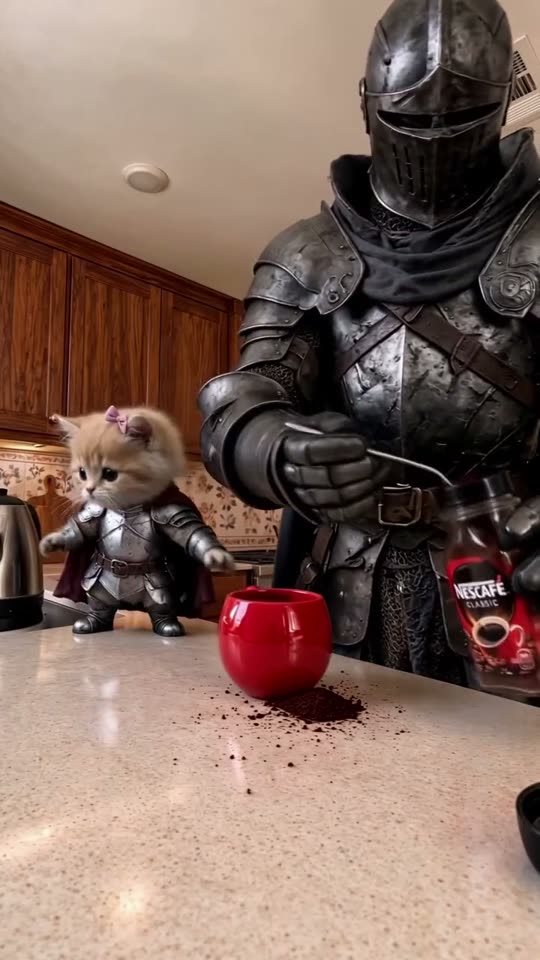
Start with two photos, one clear subject in each. The first image is the main character behind the red mug. The second is the subject on the left, watching the coffee disaster unfold. The form labels both roles and preserves the image order when uploading to the model.
A person, a pet, a toy, a game character or an object can take either role. Use sharp images with enough visible body and clothing to establish the subject. JPEG, PNG and WebP are supported, up to 10 MB per image.
Keep the full routine
Choose 10 or 15 seconds before generating. The prepared prompt describes hot water at the start, spooned instant coffee, grounds spilled across the counter, a lean toward the camera, the mug lift and a final milk puddle. It asks for one continuous shot with no cuts, captions or watermark.
The prompt replaces the full subject rather than only the head. It asks for no leftover armor from the knight or kitten unless the corresponding input image contains it. Pets retain animal paws and objects retain their own shape and material.
Submit once
Select 480p, 720p or 1080p and review the credit cost. Changing either image resets consent, so confirm permission after the final selection. Sign in and submit once. Follow the original task if the provider is slow or uncertain; do not create another paid render just because one response is delayed.
Check and download
Watch both characters for identity drift, clothing changes, merged features and inappropriate hands. Check the timing and the milk splash. Your finished MP4 is private to your account until you download it or create a signed share link.